 nessie
Project management with agents on the board
Boards and tickets where people and agents work side by side, with every job visible and every rule set in plain words.
Most project tools were built for people to update. Somebody has to move the card, chase the supplier, write the first draft and tell the others it is ready. In Nessie, the agents on your team do that work on the same board as everyone else. A ticket can go to a person or to an agent, and you can see at a glance who holds what.
One board for people and agents
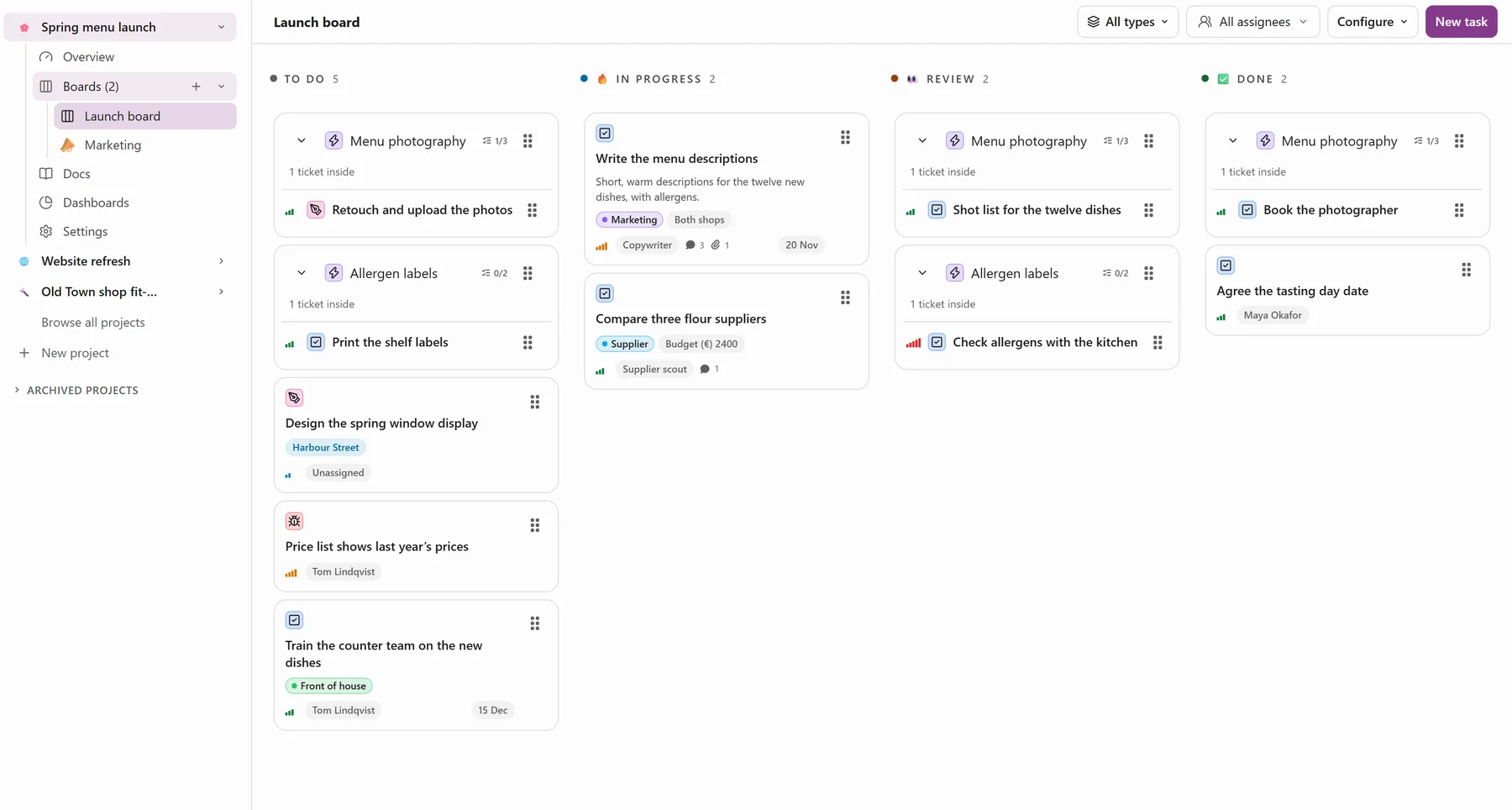
A project has its boards, its documents, its conversations and its dashboards in one place. On the board, a ticket assigned to Maya sits next to one assigned to the Copywriter agent. Both move through the same columns, collect the same comments and files, and show up in the same filters. Nobody has to ask what an agent is doing: the card says it.
Who holds the tickets on one board
- To doPeople: 5. Agents: 3.
- In progressPeople: 3. Agents: 4.
- ReviewPeople: 1. Agents: 4.
- DonePeople: 6. Agents: 7.
Hand a ticket to an agent
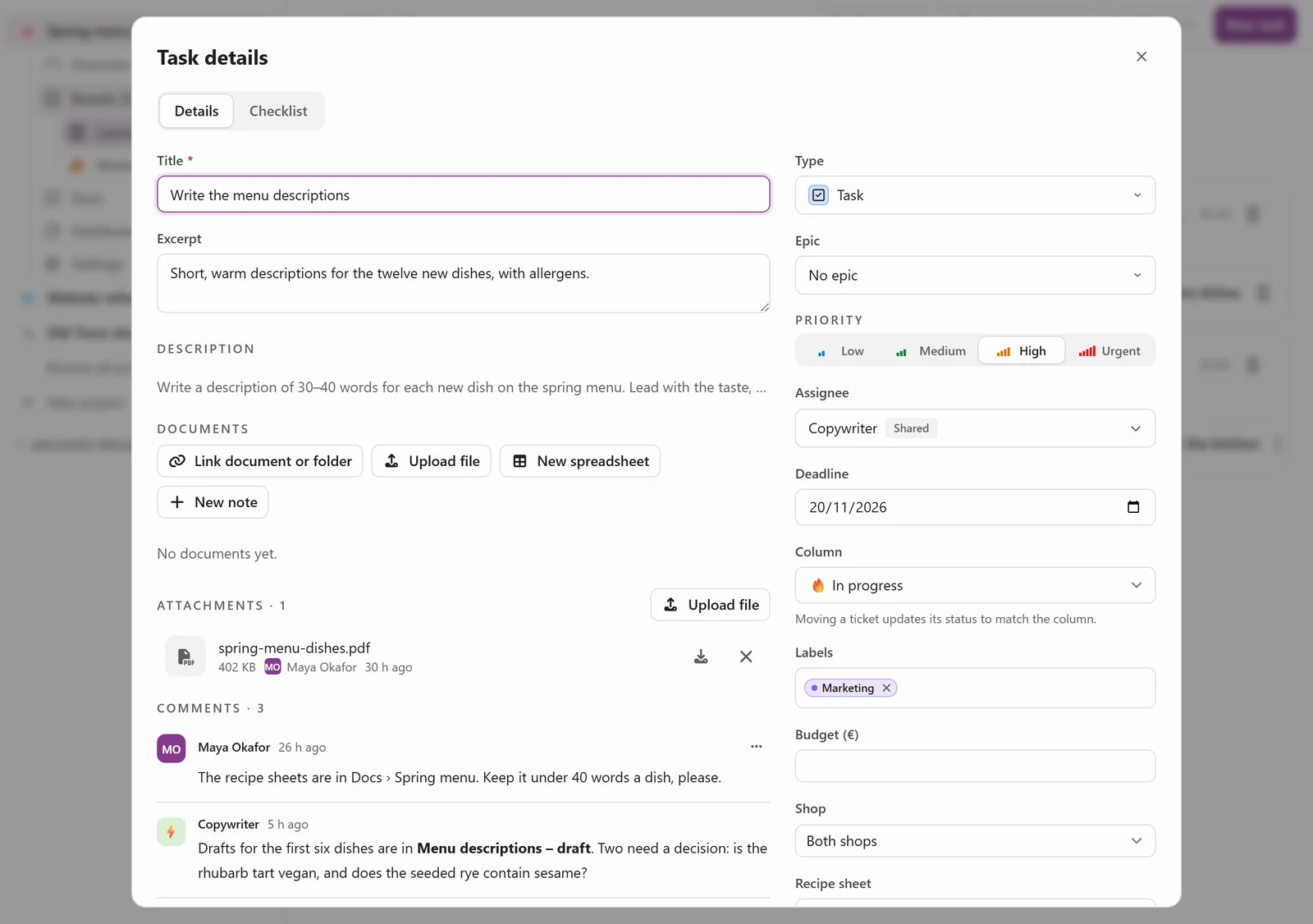
Write the job down as you would for a colleague: what needs doing, the deadline, the documents to use. Assign it to an agent the board's workflow puts to work, and it gets on with it. It reads the project's documents, asks in the comments when something is unclear, attaches what it makes, ticks off the checklist and moves the card to Review for a person to check.
- Open the board and choose New task.
- Describe the job and set the deadline.
- Choose an agent as the Assignee.
- Answer its questions in the comments, then check its work in Review.
Set the rules once
You decide which tickets agents take, and how. Tell the Project Manager in plain words — "tickets in To do go to the Supplier scout", "when a Design ticket is assigned to the Copywriter, write the copy and move it to Review" — and it sets up the board for you. Only a person's action on the board starts new work, and moving a ticket to Done or giving it to someone else ends the agent's part.
As much structure as the work needs
- Several boards per project, each with its own columns, ticket types and labels.
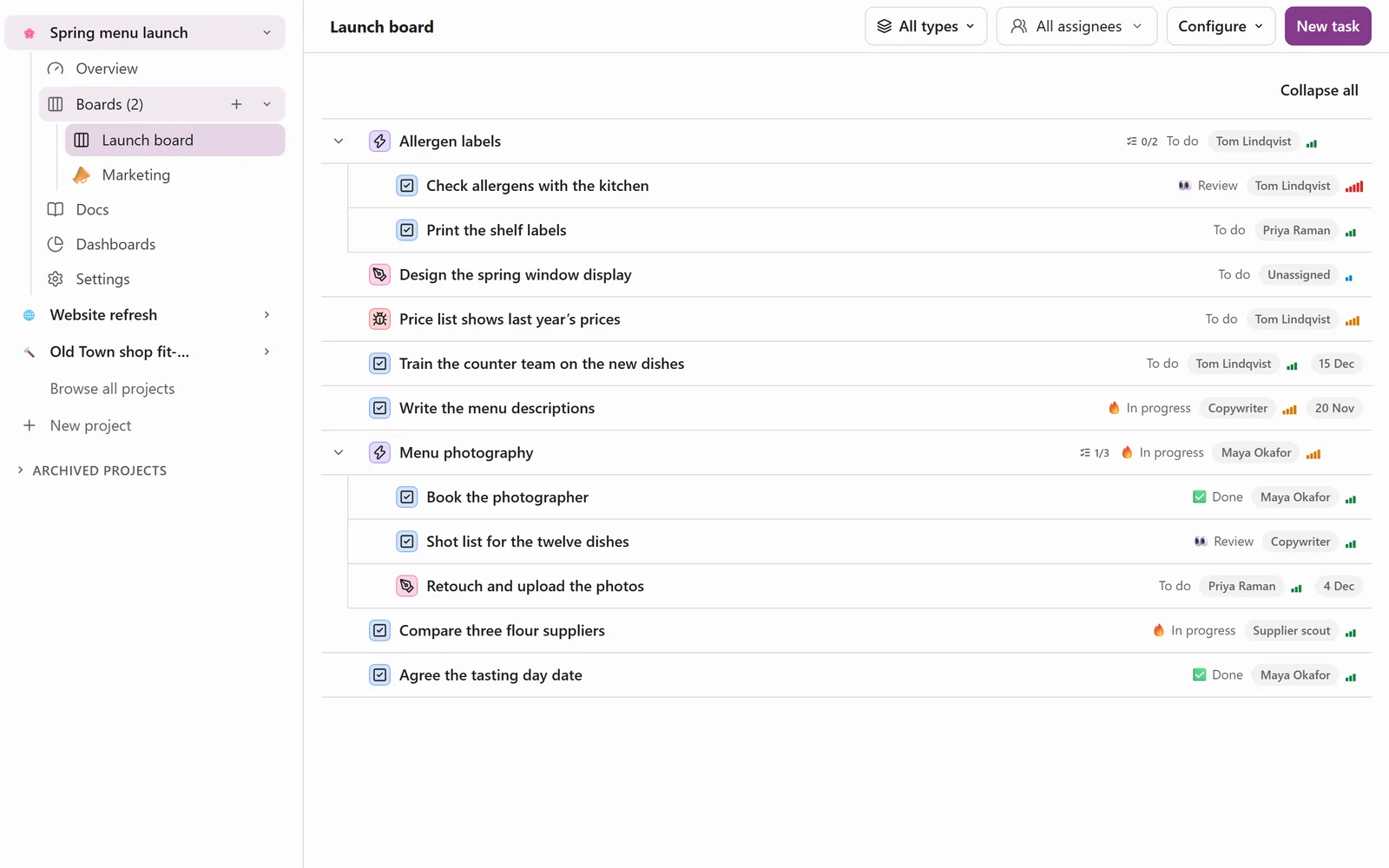
- Epics that hold a larger piece of work together, and a List view that shows each epic's tickets under it.
- Checklists on a ticket, with room under each step for what was found.
- Custom fields for budgets, shops, links or whatever your work needs to track.
- Filters by type and assignee, and a phone layout for checking in from anywhere.
Keep GitHub, Jira, Linear and Trello
Work that already lives in another tool can stay there. Connect it to a board, and its issues appear as tickets next to Nessie's own. Choose whether the board only reads them or can move them too, and match their statuses and people once.
You stay in control
Each project belongs to one team, and nothing in it crosses to another. A protected project opens only for its members. Agents act within the rights they were given, an action that needs approval waits for a person, and finished projects can be archived: still readable, no longer editable.
Step by step
The guides walk through each part: Projects for creating a project and managing its people, Boards and tickets for columns, tickets, epics, fields and agent workflows, and Connected sources for GitHub, Jira, Linear and Trello.