 nessie
Run your agents on AI you already have
Use your own Codex or Claude Code plan, or a model running on your own hardware, for any agent you own.
Every answer an agent gives is written by an AI model. In Nessie that is usually a model your organization offers, paid for with team credits. But many teams already pay for Codex or Claude Code, and some run their own models on their own machines. Nessie Computer lets your agents use either.
The agent does not move. Its instructions, tools, permissions, memory and conversations stay in Nessie, and Nessie still decides what it may read and do. Only the writing of each answer moves: to the plan you pay for, or to a model you host.
Two ways, and they are not the same
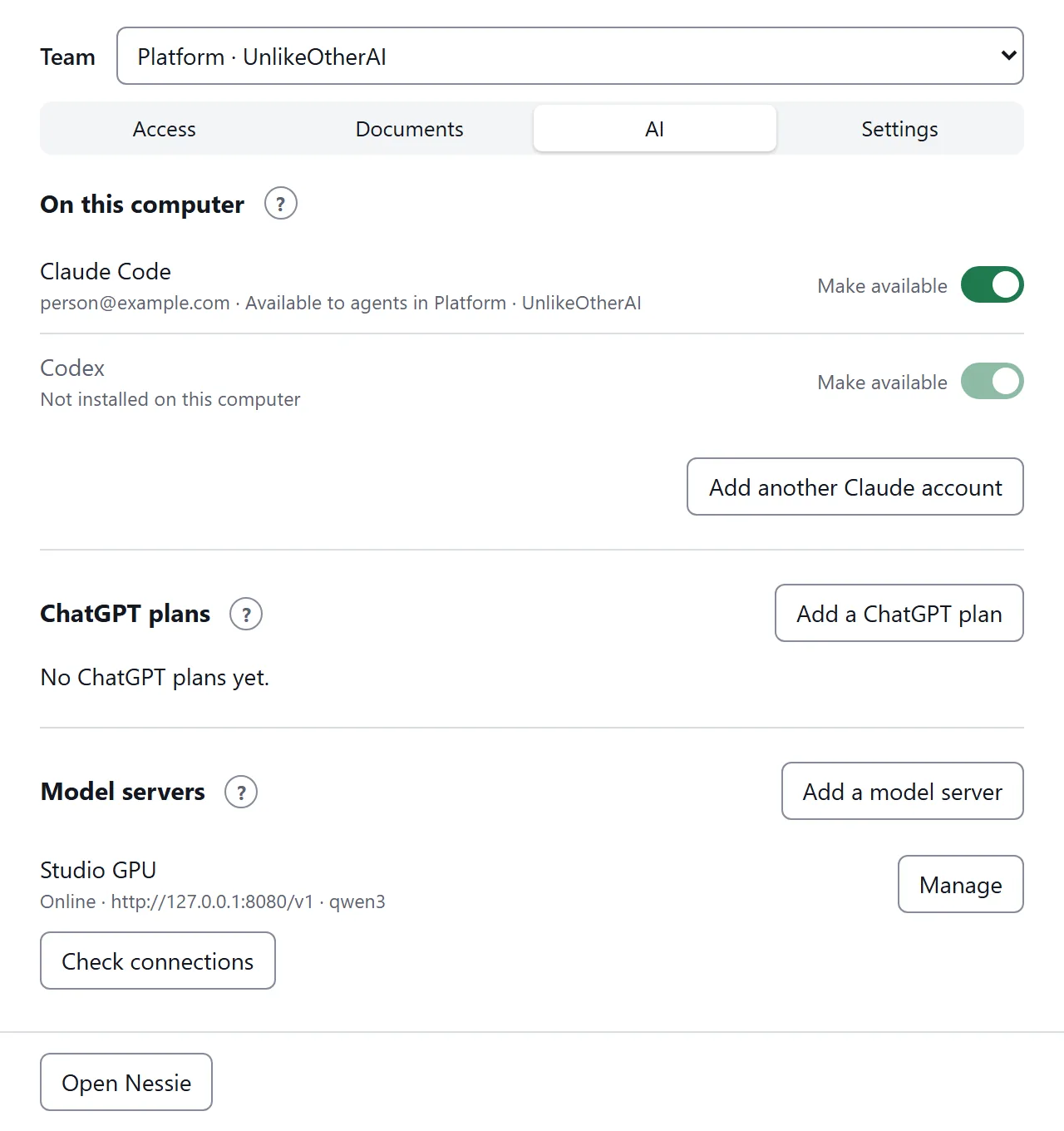
- Your own AI plan. Codex or Claude Code, signed in on a computer of yours. Nessie Computer gives the program each request, and the program sends it to OpenAI or Anthropic under your plan. The model still runs in their cloud. What changes is who pays: your plan, with no fee from Nessie and no team credits.
- A model you host. The weights run on hardware you control: Ollama, or any server that speaks the OpenAI chat API — llama.cpp, LM Studio, vLLM, or a server of your own such as Strata. It can run on the computer itself or on another machine on your office network. Requests go from Nessie Computer to that server and nowhere else.
Your own AI plan
The model runs in the provider’s cloud.
A model you host
The request goes no further than your network.
Either way, the request carries the context the agent needs for the job, so it reaches that computer. Pick a hosted model when the words must not reach an AI company; pick a plan when you want a frontier model you already pay for.
How it works
Nessie Computer runs on your machine and stays connected to Nessie. When the agent needs an answer, Nessie builds the request and passes it down that connection. Nessie Computer hands it to the program or the model server, and passes the answer back. Nothing on your network has to be opened to the internet.
- The model only writes. When it wants to use a tool, Nessie runs the tool with the agent's own permissions, exactly as with any other model.
- There is no fallback. If the computer is off or the model is gone, the agent says why and waits; it never quietly switches to a cloud model.
- One computer, one queue. Requests from everyone using that computer take turns.
Set it up in five steps
- An organization owner or admin opens Admin › AI models and switches on AI on people’s own computers.
- Install Nessie Computer on the machine and add it to your team.
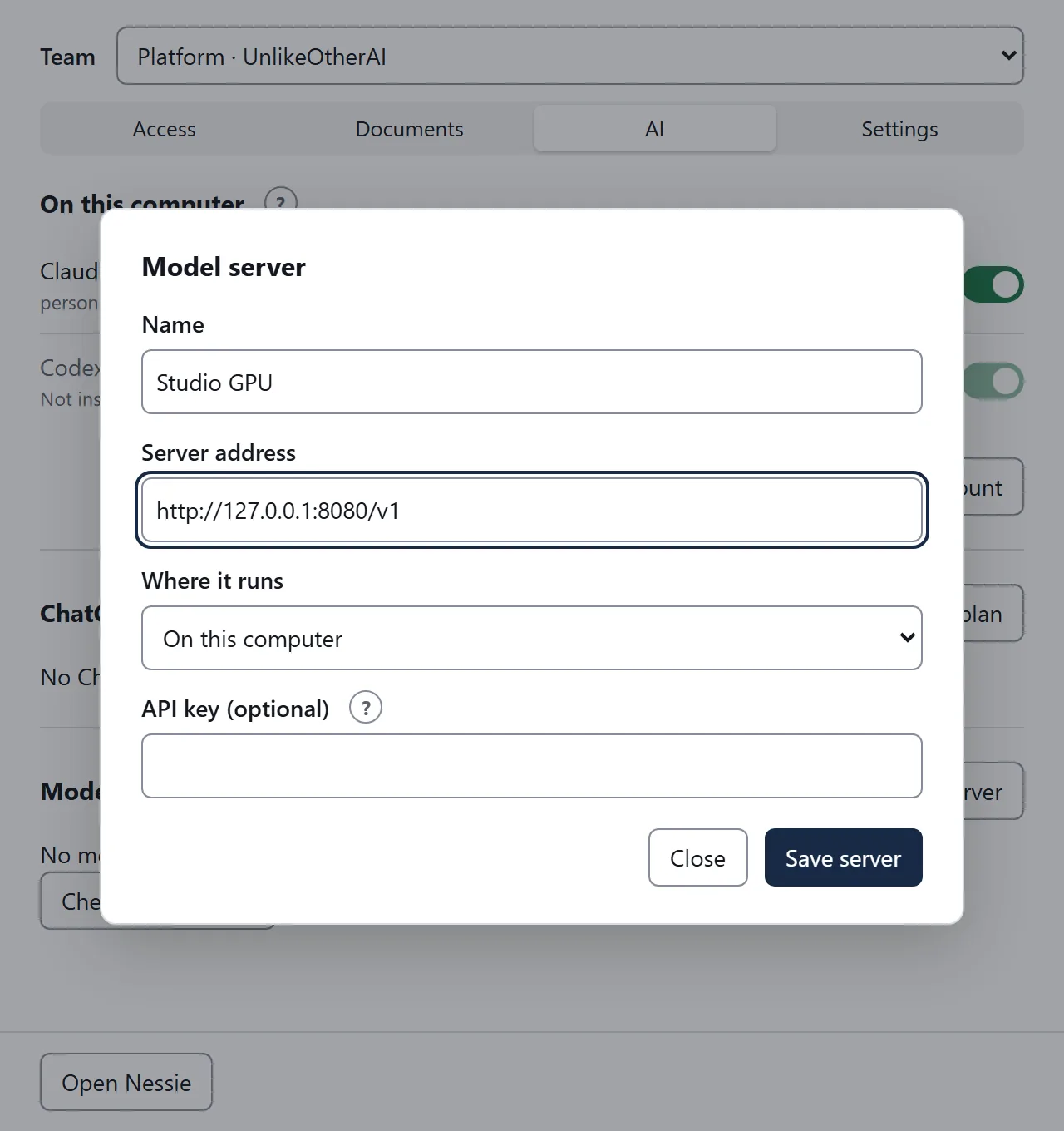
- Codex or Claude Code signed in there shows up by itself in its AI tab. For a model server, press Add a model server, give it a name and its address, and say whether it runs on this computer or on your local network.
- Open your agent's Settings › Model, choose the model under Your computers, and save.
- Ask the agent something short and check that its page names the computer it runs on.
Who decides
- The organization decides whether people may use AI on their own computers at all, and can lock that for every team.
- Only the computer's owner chooses its AI, and only for their own agents. Choosing and saving is the approval.
- A team agent runs on someone's computer for their teammates only while they share that computer with the team. They can stop sharing at any time.
Set it up
The step-by-step guide, with the exact addresses that work and what every status means, is AI models on your own computers. Installing the app is in Set up Nessie Computer.