 nessie
Marketing by agents that have browsers
Agents work in your social accounts and on any website through a browser you signed in once, and send your newsletters and campaigns. You approve what goes out.

Marketing in a small company is one person and a list that never gets shorter: this week’s posts, the newsletter, the comments nobody answered, the competitor’s new prices. Most of that work happens on websites that no tool connects to. Nessie’s agents have browsers, so they do the work where it happens, signed in to your accounts, and you approve what goes out.
Agents work in your accounts, through a browser
Facebook, Instagram and TikTok offer a small business no connection an agent could use. A browser needs none. A person signs the company account in to the team’s browser once, and an agent with browser access works there as you would: it publishes the post you approved, answers comments in your voice and reports what happened. The password goes straight into the page; the agent never sees it. You can watch the browser while the agent works and take control at any moment.
How it works, and what else it reaches: agents with browsers.
What a marketing agent does in a week
- Posts. It drafts the week’s posts from what you shipped, shows them to you in the channel, and publishes the ones you approve.
- Comments. It reads the comments on your pages and answers the ones it can; the rest it brings to you.
- Research. It searches the web, reads competitors’ sites and price lists in its browser, and writes what changed into a document.
- The Monday report. On the schedule you set, it reads your connected Google Analytics account and tells the channel what moved.
One marketing agent, one example week
Posts
Comments, day by day
- MonAnswered by the agent: 4. Brought to you: 1.
- TueAnswered by the agent: 3. Brought to you: 0.
- WedAnswered by the agent: 6. Brought to you: 1.
- ThuAnswered by the agent: 2. Brought to you: 0.
- FriAnswered by the agent: 5. Brought to you: 2.
- SatAnswered by the agent: 7. Brought to you: 1.
- SunAnswered by the agent: 3. Brought to you: 0.
Nessie does not generate pictures for posts. The agent uses the photos and artwork you keep in Documents.
Newsletters from your own mailbox
Build a newsletter from blocks: a heading, text, a picture, a button. Send a test to your own inbox, then send or schedule it to a contact list from your team’s own address. The report shows who opened, clicked, unsubscribed or bounced, against your average. An agent can follow up with the people who clicked, and a person approves what it sends. New subscribers join through a signup form they confirm by email.
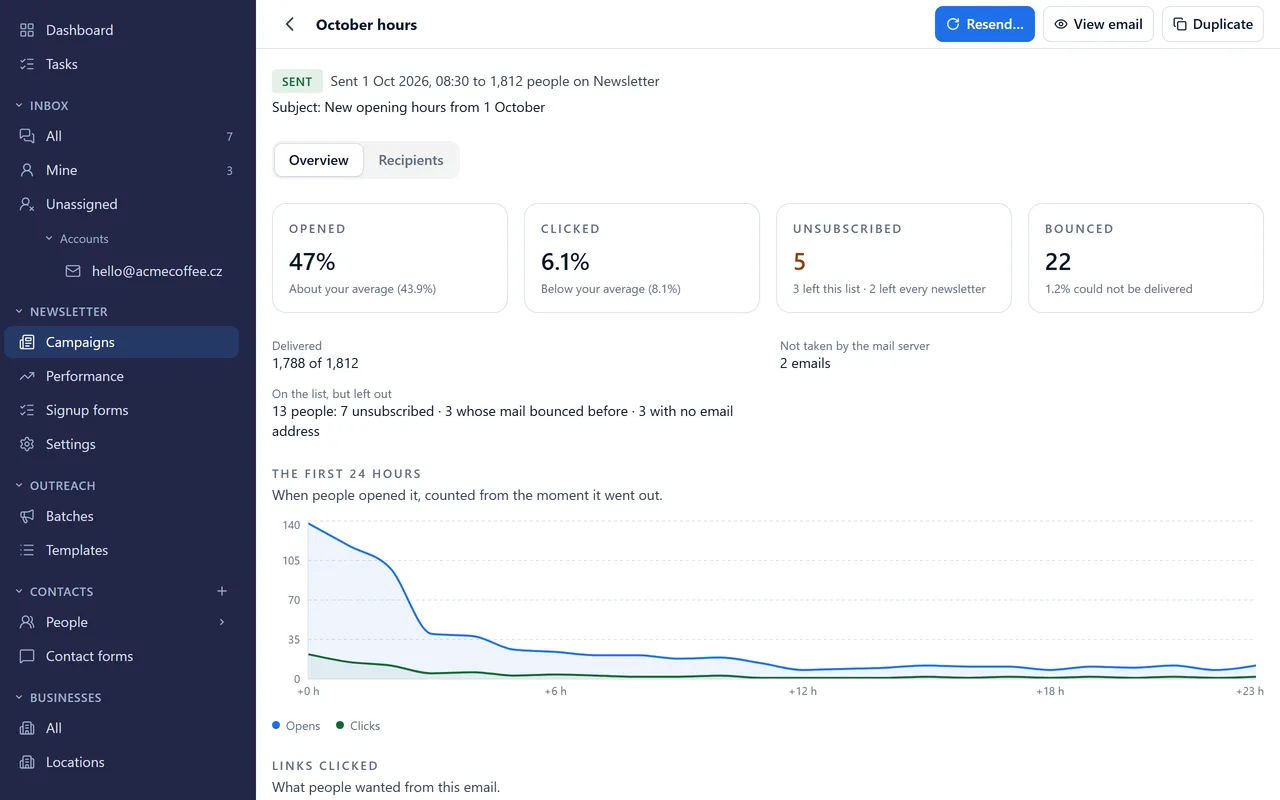
Every step: Newsletters and forms.
A short message to many people
“We are closed on Monday.” “The new menu starts on Friday.” An outreach batch sends one short message like these by text or email to a list, translated for each person into the language on their contact record, and you read a sample in every language before it goes. Only people who agreed to marketing messages receive one. When an agent writes to each person separately, every message waits in the Outbox with the agent’s reasons until a person sends it.
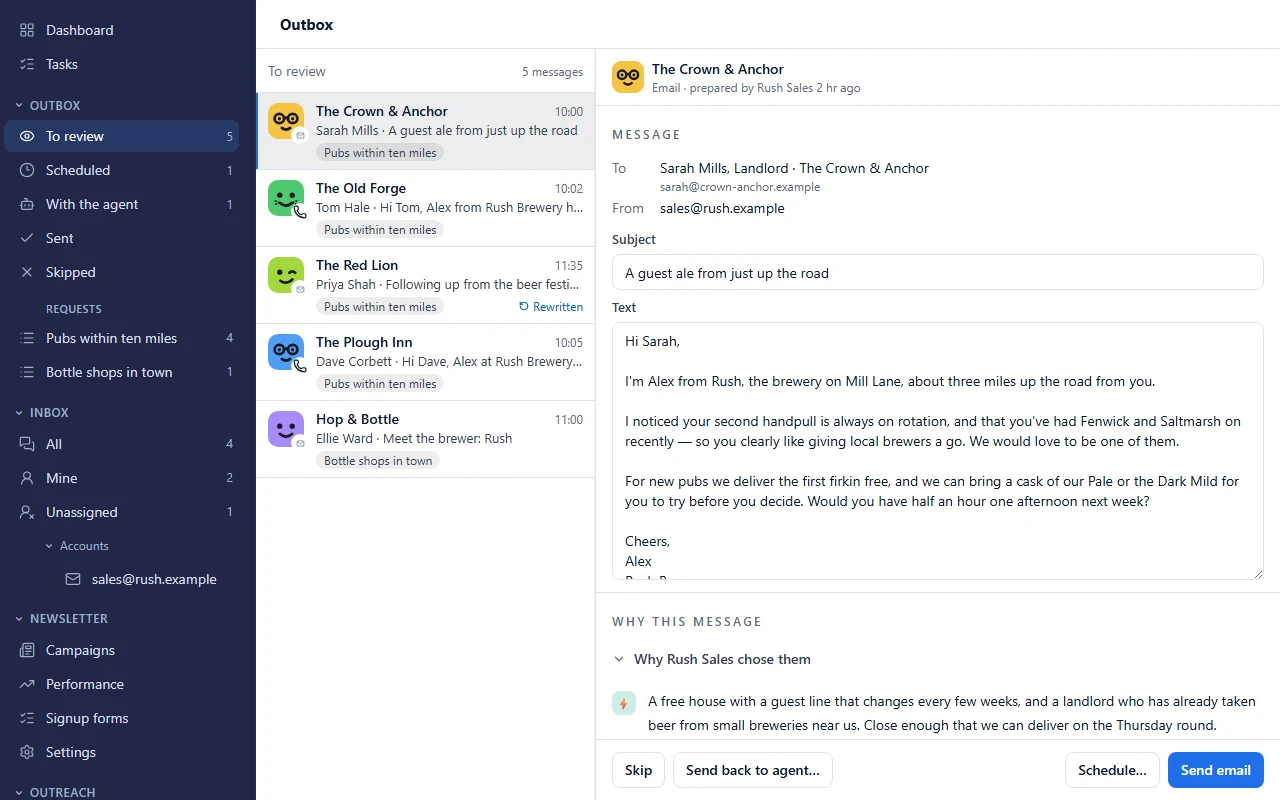
Every step: Outreach and the Outbox.
One list of contacts
Bring your contacts in from a spreadsheet, pasted text, a Mailchimp audience or your LinkedIn connections. Everyone who writes to you is added as well. Lists, consent and every conversation sit on one record in the CRM, shared with sales and support.
Nothing goes out unread
- A person approves every post, newsletter and outreach batch before it goes out.
- Before an agent’s browser moves to a website it was not asked to use, it asks.
- Every post and message is in the channel or on the contact’s record, for anyone on the team to read.
Start with one account
Sign one social account in to the team’s browser, give one agent browser access, and ask it for next week’s posts. See how a brewery, a restaurant or a shop uses it, or how sales runs on the same contacts.